
Tap / Cardless / Phone or watch
Can you use Apple Pay or Google Pay at an ATM? Tap, cardless and PINless explained
Often, yes: at an ATM with a contactless reader you tap your card, phone or watch, then enter your PIN.
Often, yes: at an ATM with a contactless reader you tap your card, phone or watch, then enter your PIN. Whether it works depends on the ATM, the processor behind it and the bank that issued your card.
Contactless at ATMs is changing fast. This page reflects what we've confirmed with our processors and manufacturers as of November 12, 2026. We track network, processor and manufacturer updates and revise this page as rules change.
Updated
The short answer
Often, yes: you can tap a contactless card or a phone or watch wallet at many ATMs. Wells Fargo, for example, says its customers can use a digital wallet such as Apple Pay, Google Pay or Samsung Pay at its ATMs and participating non-Wells Fargo ATMs, followed by the card's PIN. Look for the contactless symbol on the ATM, tap, and enter your PIN. Bank of America says contactless works at all of its own ATMs, and Chase describes a wallet tap at eligible Chase ATMs. Both then ask for the PIN.
At independent ATMs in stores, bars and gas stations, it depends on three things: the ATM needs an NFC reader, its processor has to support contactless, and your bank has to allow it.
How a tap withdrawal works
- Open your phone's wallet and choose your debit card, or get your contactless card out.
- Hold the phone, watch or card near the contactless symbol on the ATM.
- Enter your card's PIN on the ATM keypad when asked.
- Choose the amount and take your cash.
Unlocking your phone with a face scan or fingerprint opens the wallet. It doesn't replace the ATM PIN.
Tap vs. cardless vs. PINless
| Term | What it means | PIN needed? |
|---|---|---|
| Tap (contactless, NFC) | You hold a contactless card, phone or watch near the ATM's reader instead of inserting the card. | Yes |
| Cardless (app, QR code or one-time code) | You set up the withdrawal in your bank's app, then finish it at that bank's ATM with a code. A tap is also cardless, but uses the reader instead. | Depends on the bank |
| PINless | The phone's own face or fingerprint check replaces the ATM PIN. | Not at U.S. ATMs today |
Why the PIN is still required
Visa's acceptance guide says ATMs always require online PIN, and Mastercard's rules say a contactless transaction at an ATM must always use online PIN. Mastercard now lets the phone's own check replace the PIN at ATMs in some regions, but its rules keep the PIN for contactless ATM transactions in the U.S.
So "PINless" ATM withdrawals aren't available at U.S. ATMs today. If a site promises one, be careful.
Why it works at one ATM and not another
- Your bank. Banks have to enable their cards for contactless at the ATM. Visa requires card issuers in several regions to set their contactless cards up for ATM use, but the U.S. isn't on that list, so some U.S. banks may decline a tap at a non-bank ATM. Bank of America says other ATMs "may or may not" support it.
- The ATM. It needs an NFC reader and the right software.
- The processor. The company that connects the ATM to the card networks has to support contactless.
Apple says card issuers may set PIN requirements, and Apple, Google and Samsung publish no rules of their own for U.S. ATMs. If a tap is declined, insert the card instead.
For ATM owners: what you need for tap
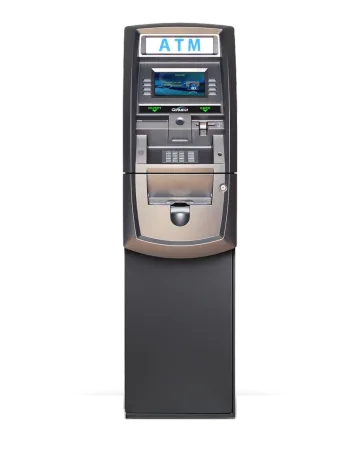
We sell NFC contactless ATMs and reader kits, install them and process them. Our processors (DNS, PAI and CDS) have confirmed to us that they support contactless.
- An NFC reader, built in on a new ATM or added with a kit
- A compatible board and software version
- A processor that supports contactless
See NFC contactless ATMs for the models, kits and requirements, or build a G2500 with NFC.
App, QR code and passcode withdrawals
Some banks let you start a cardless withdrawal in their app and finish it with a QR code or one-time code at their own ATMs. It's a separate system from NFC tap, and it's not offered on our machines.
Contactless ATM questions
Can I use Apple Pay at an ATM?
Often, yes. You need a tap-ready ATM and a bank that allows wallet taps at that ATM; you hold your iPhone or Apple Watch near the contactless symbol, then enter your card's PIN. Wells Fargo, for example, says its customers can use a digital wallet such as Apple Pay, Google Pay or Samsung Pay at its ATMs and participating non-Wells Fargo ATMs, followed by the card's PIN. Not every bank allows it at every ATM.
Can I use Google Pay or Samsung Pay at an ATM?
Often, yes, the same way: a tap-ready ATM, a bank that allows it, then your PIN. Wells Fargo names Google Pay and Samsung Pay, as well as Apple Pay, among the wallets its customers can use at its ATMs and participating non-Wells Fargo ATMs.
Do contactless ATMs need a PIN?
Yes. At U.S. ATMs, Visa and Mastercard rules require the PIN for every withdrawal, including card, phone and watch taps.
What is a cardless ATM?
Any ATM you can use without inserting a card. That includes tapping a card or phone on a contactless reader, and app-based withdrawals that use a QR code or one-time code.
Can I add tap to my existing ATM?
Often, yes. Genmega and Hyosung sell NFC kits for many models, as long as the board and software meet the minimums and the processor supports it. We sell, install and process them.
Sources
We link the manufacturer, processor, card network and bank pages behind what this page says. Our processors' confirmation to us is our own information and has no public page.
- Visa Transaction Acceptance Device Guide v3.3 (Card network)
- Visa Core Rules and Visa Product and Service Rules (Card network)
- Mastercard Transaction Processing Rules (June 2026) (Card network)
- U.S. Payments Forum: Contactless Adoption at the ATM (May 2024) (Industry body)
- Bank of America: Self-service ATMs (Bank)
- Wells Fargo: ATM and branch locator help (Bank)
- Wells Fargo: Debit card FAQs (digital wallets at ATMs) (Bank)
- Wells Fargo: ATM tour (tap with a card or digital wallet) (Bank)
- Chase: Cardless ATM access (Bank)
- Apple: Apple Pay support (Wallet)
- CDS: Contactless Card Tap Now Certified on the CDS Platform (Processor)
- CDS: Capability Update, NFC Support (Processor)
- Genmega AP Software Manual, section 7.7.6 (Manufacturer)
- Hyosung Americas: NFC technology bulletin (Manufacturer)